

Choosing a flip phone for seniors can make daily calls and messaging much more convenient. These compact devices focus on familiar controls, clear calls, and straightforward menus instead of complicated apps.
This guide compares five practical models for 2026, explains the features worth checking, and shows how eligible older adults may access affordable phone service or a free device through Lifeline and AirTalk Wireless.
1. Is a Flip Phone a Good Choice for Seniors?
A flip phone can be a good choice for seniors who mainly make calls and send occasional texts. Physical buttons, simple menus, compact designs, and dependable battery performance may be easier to manage than a feature-heavy smartphone.
This type of phone may suit someone who struggles with touchscreen controls, prefers real keys, wants fewer notifications, or rarely uses maps, video calls, and mobile apps.
On the other hand, older adults who feel confident using modern devices may prefer an easy-to-use smartphone that offers customizable text sizes and built-in accessibility features.
2. What Features Should You Look for in a Flip Phone for Seniors?
The most suitable model should make common tasks easier to see, hear, and complete.
- Large Display and Adjustable Font Size
A bright screen, strong contrast, and adjustable text can make contacts, messages, and menu labels easier to read.
- Loud Speakers and Hearing Aid Compatibility
Look for adjustable call volume, clear speakers, and an appropriate M/T hearing-aid rating to support clearer conversations.
- Emergency SOS Button
A dedicated emergency key can quickly contact selected family members or a response service. Before relying on this function, confirm if it is included with your service or available only as an additional subscription.
- Easy Charging and Long Battery Performance
For many seniors, placing the phone on a charging dock is often simpler than plugging in a narrow charging cable every time. Long standby time is also helpful for users who do not remember to charge their phones every night.
- Clear Keypad with Backlit Buttons
Large, separated, illuminated keys can reduce dialing mistakes, particularly in dimly lit rooms.
>>> Read More: Simple Cell Phone for Seniors: 5+ Top Picks (2026 Updated)
3. Best Flip Phone Models for Seniors: 5 Top Options
Not every senior needs the same type of flip phone. Some users prioritize large buttons and loud audio, while others may value emergency features, hearing aid compatibility, or a simple interface.
The five models below offer different strengths, making it easier to find a phone that matches individual preferences and everyday communication needs.
Nokia 2780 Flip
The Nokia 2780 Flip is a practical choice for seniors who want a reliable flip phone with a few modern conveniences. It supports 4G LTE calling, includes a dedicated emergency button, and offers an accessibility mode with larger text, higher contrast, and louder alerts for improved usability.
Although the phone keeps its interface simple, it still provides useful features such as a camera, Bluetooth connectivity, Wi-Fi capability, and access to basic apps. Seniors looking for an easy-to-use device that does more than just calls and texts may find this model to be a well-balanced option.
TCL GO FLIP 2
The TCL GO FLIP 2 combines a familiar clamshell design with features that make everyday communication straightforward. Its 2.8-inch display, large physical keypad, and simple menu layout help reduce confusion for users who are less comfortable with smartphones.
The phone supports voice calls, text messaging, and basic internet access through 4G LTE. It also includes Bluetooth and hearing aid compatibility, making it a practical choice for seniors who want dependable communication without unnecessary complexity.
Consumer Cellular IRIS Easy Flip
The IRIS Easy Flip includes large 2.8-inch internal and external screens, 4G LTE connectivity, and expandable storage. It may be a practical simple flip phone for seniors who want easy controls without removing every multimedia feature.
In addition to calling and texting, the device offers 4G LTE connectivity, expandable storage, and basic multimedia functions. These extra capabilities provide added flexibility while keeping the overall user experience simple and approachable for everyday use.
Jitterbug Flip2
The Jitterbug Flip2 is specifically built for older adults who want additional safety and support features. It includes oversized buttons, a bright display, powerful speakers, and an easy-to-navigate interface that reduces the learning curve for first-time users.
One of its standout features is the Urgent Response button, which can connect users with trained agents during emergencies when paired with an eligible service plan. This makes the phone particularly appealing for seniors who value added peace of mind alongside straightforward communication.
Alcatel GO FLIP Series
The Alcatel GO FLIP series offers a dependable combination of simplicity and essential modern features. Most versions include a 2.8-inch display, tactile physical keys, 4G LTE support, Bluetooth connectivity, and hearing aid compatibility, making them suitable for everyday calling and texting.
Because several versions of the GO FLIP have been released by different carriers, available features may vary slightly between models. Before purchasing, it is worth comparing specifications to ensure the selected version includes the accessibility features and connectivity options that best meet the user’s needs.
4. Flip Phone vs Smartphone for Seniors
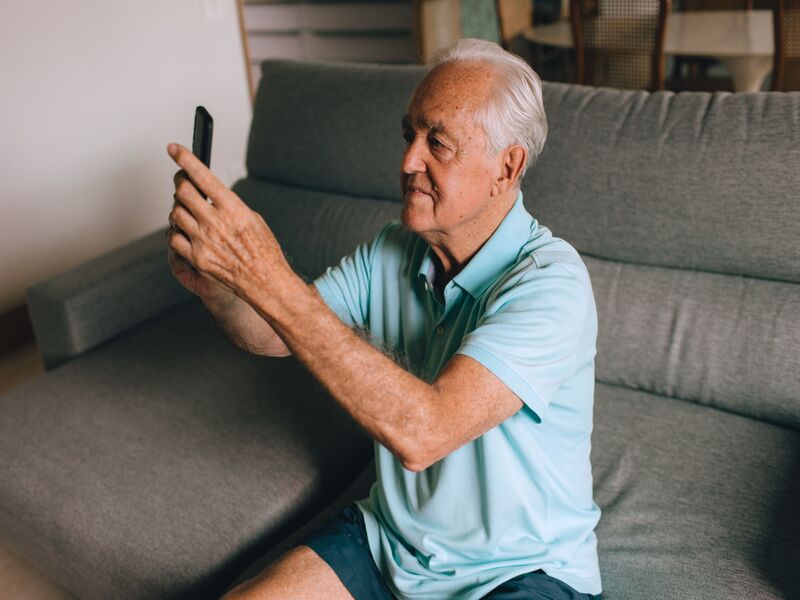
A flip phone is generally better for seniors who prioritize calling, simple controls, and physical buttons. A smartphone is more suitable for video calls, navigation, online banking, health apps, email, and family photo sharing.
| Comparison | Flip Phone | Smartphone |
| Controls | Physical keypad | Touchscreen |
| Learning curve | Usually shorter | Often longer |
| Apps | Limited selection | Extensive selection |
| Charging | Often less frequent | Usually more frequent |
| Best suited for | Calls and texts | Internet, apps, and video |
>>> You might be interested in: Best Cell Phone for Seniors: 5 Easy-to-Use Options & Free Lifeline Phones
5. How Much Does a Flip Phone for Seniors Cost?
The cost of a flip phone for seniors varies depending on its features, brand, and carrier.
Basic models designed for calling and texting typically range from $20 to $100. While phones with larger displays, hearing aid compatibility, emergency assistance features, or improved accessibility tools may cost $100 to $200 or more.
When comparing prices, it is important to look beyond the upfront cost of the device. Monthly wireless service, activation fees, warranty options, and carrier compatibility can all affect the total amount you’ll spend over time.
Some models also require a subscription to access premium safety or emergency response services. Instead of choosing the highest-priced option, consider how the phone will be used every day.
6. Where Can Seniors Get an Affordable Flip Phone?
Seniors can buy flip phones from carriers, electronics stores, and online retailers. Eligible low-income households may also save through the federal Lifeline program, which helps reduce the cost of phone or internet service.
Some Lifeline providers, including AirTalk Wireless, may offer free or discounted phones with qualifying service. Available devices and benefits vary by state and inventory.
- Who Qualifies for a Free Phone?
You may qualify if your income is at or below 135% of the Federal Poverty Guidelines or if you participate in programs such as Medicaid, SNAP, SSI, Federal Public Housing Assistance, or certain Tribal programs.
How to apply with AirTalk Wireless
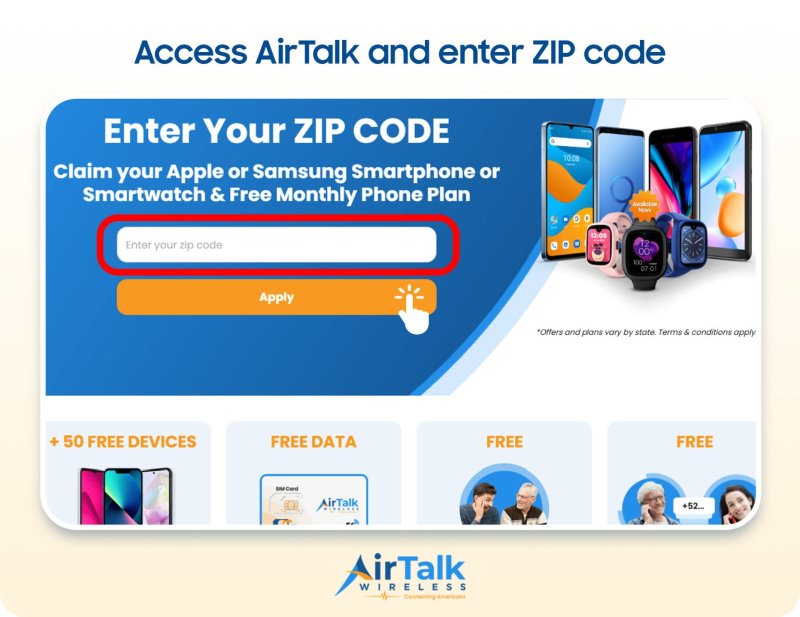
To apply for a free phone, follow these steps:
- Enter your ZIP code.
- Choose an available phone and plan.
- Complete the application and verify eligibility.
- Submit any required documents.
- Wait for approval and receive your device.
If a flip phone for seniors is unavailable, consider a smartphone with large text, simple menus, or other accessibility features.
7. FAQs
What is the easiest flip phone for a senior to use?
The easiest flip phone for seniors usually has large buttons, a bright screen, loud audio, and a simple menu. The Jitterbug Flip2 is designed with senior-friendly controls, while the Nokia 2780 offers useful accessibility features.
Which flip phone is the most suitable choice for older adults?
The best flip phone for seniors depends on individual needs. The Nokia 2780 is a good all-around choice, the Jitterbug Flip2 focuses on simplicity and support, and the IRIS Easy Flip offers large dual displays.
What is the easiest cell phone for the elderly to use?
A basic flip phone is often easiest for seniors who mainly call and text. Seniors who use video calls, navigation, email, or telehealth may prefer a smartphone with large text, voice controls, and simplified accessibility settings.
What is the best phone for a 70-year-old?
The best phone for a 70-year-old depends more on their needs than their age. A simple flip phone may suit basic calling, while an accessible smartphone is better for apps, navigation, photos, video calls, and telehealth.
Conclusion
A well-chosen flip phone for seniors can provide clear calling, familiar buttons, and fewer digital distractions. Compare the display, speaker volume, hearing aid support, charging method, and emergency features before deciding.
Eligible households may also find free or discounted devices through Lifeline and AirTalk Wireless, depending on location, qualification, and stock.