
Finding the right simple cell phone for seniors can make everyday communication easier, safer, and more enjoyable. While many smartphones offer advanced features, not every older adult needs a device packed with complicated apps and settings.
For many seniors, the ideal phone is one that’s easy to navigate, has a clear display, reliable battery life, and dependable call quality.
1. Quick Comparison: Best Simple Cell Phones for Seniors
The best simple cell phone for seniors combines easy controls, clear displays, reliable battery life, and useful accessibility features.
| Phone | Key Features | Best For |
| Jitterbug Smart4 | Simple menu, large text, loud speaker, optional emergency support | Easiest smartphone experience |
| Nokia 2780 Flip | Physical keypad, flip design, SOS button | Calls and basic texting |
| AirVoice C67 | Large screen, long battery life, simple Android design | Affordable everyday use |
| Hotpepper Verde | 6.56-inch display, Android 14 Go, essential apps | First-time smartphone users |
| Samsung Galaxy A42 5G | Bright AMOLED screen, 5,000 mAh battery, 5G | Better display and performance |
| TCL K32 5G | 6.75-inch screen, long battery life, face unlock | Large-screen 5G use |
2. How to Choose the Best Simple Cell Phone
The best simple cell phone for seniors should be easy to see, hear, navigate, and charge. Focus on these essential features:
- Large, Bright Display
Choose a phone with a clear screen, large text, and easy-to-recognize icons. These features make it easier to read messages, find contacts, and navigate menus.
- Simple Interface
Look for a simplified home screen, uncluttered menus, or physical buttons. Flip phones may suit seniors who only need basic calling and texting, while simplified smartphones provide easier access to apps and video calls.
- Clear and Loud Audio
Loud speakers, adjustable volume, and hearing aid compatibility can make conversations easier to understand, especially in noisy environments.
- Reliable Battery Life
A phone that lasts all day or several days requires less frequent charging and is more likely to be ready during an emergency.
- Safety and Accessibility Features
Useful options may include:
- Emergency SOS
- Speed dial and emergency contacts
- Location sharing
- Voice commands
- Text size and screen-magnification settings
The right choice depends on the senior’s vision, hearing, mobility, and comfort with technology.
>>> Read more: Where Can I Get a Free Government Phone Today?
3. Best Simple Cell Phones for Seniors: 6 Top Picks
If you are asking is there a simple cell phone for seniors, check out these 6 top picks simple phones for seniors to have the best choice!
Jitterbug Smart4: Best Overall for Seniors
Best for: Seniors who want an easy-to-use smartphone
The Jitterbug Smart4 features a 6.75-inch screen, large text, a list-based menu, loud dual speakers, voice typing, and call captioning.
Optional Lively services also provide access to emergency assistance, although they require a compatible Lively service plan.
Nokia 2780 Flip: Best Basic Flip Phone
Best for: Calling, texting, and physical-button navigation
The Nokia 2780 Flip offers a familiar folding design, physical keypad, external display, 4G connectivity, and a dedicated SOS call key.
Its limited app selection helps reduce distractions, but typing long messages may be slower than on a touchscreen.
AirVoice C67: Best Affordable Everyday Smartphone
Best for: Seniors seeking a simple smartphone
The AirVoice C67 combines a large display, long battery life, and straightforward performance for calls, messages, browsing, and essential apps.
It’s described as a simple, no-fuss device, making it suitable for seniors who do not need advanced smartphone features.
Hotpepper Verde: Best for First-Time Smartphone Users
Best for: Basic smartphone tasks on a budget
The Hotpepper Verde has a 6.56-inch HD+ screen and Android 14 Go, a lightweight operating system designed for essential apps.
Its simple hardware supports calling, texting, browsing, and video chats without adding too many complicated features.
Samsung Galaxy A42 5G: Best Display
Best for: Seniors who want a bright screen and stronger performance
The Samsung Galaxy A42 5G offers a 6.6-inch Super AMOLED display, 5G connectivity, and a 5,000 mAh battery.
Its clear screen is helpful for reading, watching videos, and making video calls, while Samsung’s accessibility settings allow users to enlarge text and simplify navigation.
TCL K32 5G: Best Large-Screen Budget Phone
Best for: Seniors who want a modern 5G smartphone
The TCL K32 5G includes a large 6.75-inch HD+ display, a 5,010 mAh battery, face unlock, and expandable storage.
It provides plenty of screen space for larger text, photos, and videos, though users may need help simplifying the standard Android interface during setup.
4. Types of Simple Cell Phone for Seniors
Simple phones generally fall into four main categories, each offering a different balance of ease of use, modern features, and safety support.
- Basic flip phones
Best for seniors who mainly need calling and texting. Physical buttons, simple menus, and long battery life make them easier to operate.
- Simplified smartphones
These phones support video calls, apps, GPS, and internet access while offering larger text, voice commands, and simplified home screens.
- Senior-Specific Phones
Designed for older adults, these models often include large icons, louder speakers, emergency buttons, and caregiver-friendly features. They may also suit seniors with dementia who benefit from fewer menus and quick access to important contacts.
- Emergency-Focused Phones
These devices prioritize safety with SOS buttons, emergency contacts, location sharing, and fast access to assistance.
>>> Read more: Best Phone Plans for Seniors in 2026: Affordable Options for Every Budget
5. Before You Buy: Check If You Qualify for a Free Phone
After choosing the right type of simple cell phone for seniors, consider how much you actually need to pay.
Eligible low-income seniors may qualify for discounted wireless service and, depending on the provider, location, and inventory, a free or low-cost smartphone.
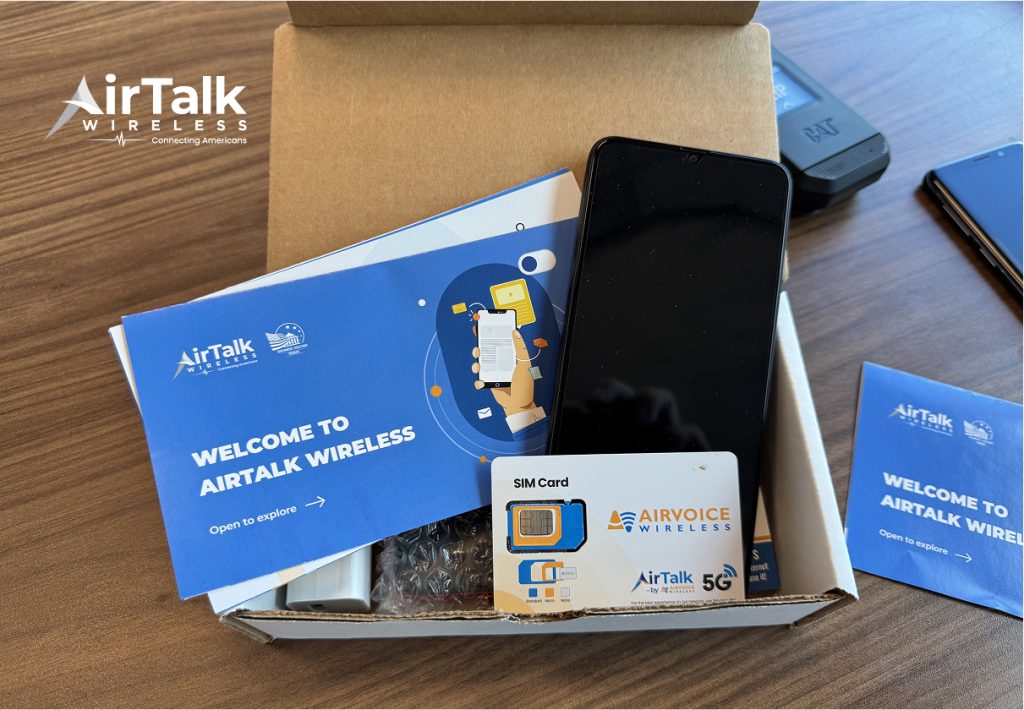
AirTalk Wireless is an Eligible Telecommunications Carrier participating in the federal Lifeline program. Lifeline helps qualifying households reduce the cost of phone service.
Through AirTalk, eligible customers may receive monthly talk, text, and data benefits, along with access to available smartphones for calling, video chats, appointment reminders, and essential apps.
Reliable mobile service can help seniors stay in contact with family, manage healthcare appointments, access online resources, and reach emergency support when needed.
Before signing up for a standard carrier plan, check whether you qualify for Lifeline through household income or participation in programs such as Medicaid, SNAP, SSI, or Federal Public Housing Assistance.
Eligibility, plans, and phone selection vary by state, ZIP code, and inventory.
6. Tips for Choosing the Right Phone for a Senior
Once you have compared phone types and checked available savings, use these final tips to choose the best fit for the senior’s daily needs.
- Consider daily usage: Choose a phone based on whether the senior mainly calls, texts, uses apps, or needs video communication.
- Evaluate vision and hearing needs: Look for large displays, adjustable text, loud speakers, and hearing aid compatibility.
- Think about caregiver support: Emergency features and easy contact sharing can provide additional peace of mind.
- Compare monthly service costs: Affordable service is just as important as choosing the right device.
- Test usability before purchasing: A phone should feel comfortable and simple from the first use.
7. Frequently Asked Questions
What is the easiest cell phone for seniors to use?
The Jitterbug Smart4 is one of the easiest smartphones for seniors because it has large text, simple menus, and loud speakers. Seniors who prefer physical buttons may find the Nokia 2780 Flip easier.
Are flip phones still good for older adults?
Yes. Flip phones are ideal for seniors who mainly call and text. They offer physical buttons, simple menus, long battery life, and fewer distracting features.
Can seniors qualify for AirTalk Wireless?
Yes. Seniors may qualify through income or participation in programs such as Medicaid, SNAP, SSI, or Federal Public Housing Assistance. AirTalk Wireless is an Eligible Telecommunications Carrier participating in Lifeline. Benefits and devices vary by location and inventory.
What is a good cheap phone for seniors?
The AirVoice C67 and Hotpepper Verde are affordable smartphone options, while the Nokia 2780 Flip is a good basic phone. The best choice depends on whether the user prefers a touchscreen or physical buttons.
What is the best simple cell phone for seniors with dementia?
A simple cell phone for seniors with dementia should have large buttons, limited menus, photo contacts, speed dial, and emergency features. A basic flip phone or senior-specific phone may be easier to manage than a standard smartphone.
Conclusion
The best simple cell phone for seniors is one that matches the user’s comfort level, daily routine, and accessibility needs. A flip phone may be enough for basic calls and texts, while a simplified smartphone can offer video calling, navigation, and useful safety features.
Before buying, compare both the device price and monthly service cost. Eligible seniors may also check AirTalk Wireless to see whether Lifeline benefits and affordable phone options are available in their area.