
Choosing the best cell phone for seniors is not simply about finding the newest device. The right phone should feel comfortable, display information clearly, make calls easy, and avoid unnecessary complications.
Some older adults prefer a traditional flip phone with physical buttons, while others need a smartphone for video calls, navigation, photos, or health apps. This guide compares five practical choices and explains how eligible seniors may receive free or discounted phone service through Lifeline.
1. Best Cell Phones for Seniors at a Glance
The best cell phone for seniors is one that matches the user’s comfort with technology, physical abilities, and communication needs.
For seniors who mainly make phone calls and send text messages, a basic flip phone is often the easiest choice. Those who want video chatting, navigation, or mobile apps may benefit more from a user-friendly smartphone.
| Phone | Best For | Senior-Friendly Features | Phone Type |
| Apple iPhone 11 | Everyday smartphone use | Clear display, voice controls, adjustable text | Smartphone |
| Jitterbug Flip2 | Calling and basic texting | Simple menu, large buttons, loud speaker | Flip phone |
| Consumer Cellular IRIS Easy Flip 2 | Large physical buttons | Backlit keypad, clear menus, external screen | Flip phone |
| Samsung Galaxy A14 5G | Budget smartphone users | Large screen, Easy Mode, long battery life | Smartphone |
| RAZ Memory Cell Phone | Seniors with memory difficulties | Photo contacts, one-touch calls, caregiver controls | Simplified smartphone |
2. What Makes the Best Cell Phone for Seniors?
Choosing a cell phone for seniors starts starts with understanding which features truly improve everyday use. A senior-friendly phone should reduce frustration without removing useful functions. Important features include:
- Large display and readable text: Bigger fonts, strong contrast, and bright screens make messages, contact names, and menus easier to see.
- Powerful audio and hearing aid support: Phones with stronger speaker output and compatibility with hearing devices help users hear conversations more comfortably, even in noisy environments.
- Simple navigation: A clean home screen, limited menus, and clearly labeled buttons help prevent accidental taps.
- Long battery life: Reliable battery performance reduces the need for frequent charging and lowers the risk of losing contact.
- Emergency features: Speed dial, location sharing, voice assistants, or an emergency response button can provide additional reassurance.
These features matter more than having the fastest processor or the most advanced camera.
>>> Read More: Best Phone Plans for Seniors in 2026: Affordable Options for Every Budget
3. 5 Best Cell Phones for Seniors Based on Different Needs
The best cell phone for seniors depends on individual needs, comfort with technology, and daily habits. Below are five recommended phones, each chosen for a different type of user to help you find the right fit.
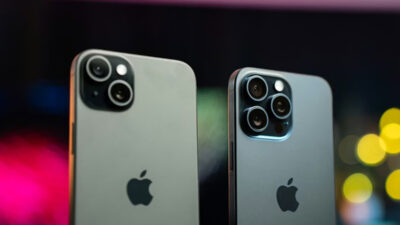
Best Smartphone for Seniors: Apple iPhone 11
The iPhone 11 offers a familiar interface, a clear display, dependable performance, and useful accessibility settings. Users can enlarge text, enable bold fonts, activate screen zoom, or use voice commands for common tasks.
Apple includes a wide range of accessibility settings that allow users to customize text size, display visibility, and audio features based on their personal preferences and abilities.
It is a practical option for seniors who want video calls, photos, maps, and messaging without moving to a premium-priced model.
Best Flip Phone for Seniors: Jitterbug Flip2
The Jitterbug Flip2 is designed primarily for calls, short messages, and straightforward navigation. It has a large screen, clearly marked buttons, a loud speaker, and an easy-to-follow menu.
An optional Urgent Response feature can connect the user with trained agents, although this service may require an additional plan. The phone is best for someone who does not need apps or a touchscreen and prefers a familiar folding design.
Best Cell Phone for Seniors with Large Buttons: IRIS Easy Flip 2
The IRIS Easy Flip 2 combines a traditional keypad with large, backlit buttons and simple navigation controls. Front-facing volume keys also make sound adjustments more convenient.
Because the phone focuses on calling and basic communication, it avoids the crowded app screens found on many smartphones. Its durable hinge and uncomplicated menus make it suitable for users with limited dexterity or little interest in advanced technology.
Best Budget Phone for Seniors: Samsung Galaxy A14 5G
The Samsung Galaxy A14 5G provides a large screen, internet access, video calling, and useful everyday apps without the price of a flagship phone. Samsung’s Easy Mode enlarges icons and fonts, creates a higher-contrast keyboard, and makes the home screen easier to navigate.
This model is a strong choice for seniors who want smartphone functions but need a cleaner setup. Families can place essential contacts and apps on the first screen while removing distracting shortcuts.
Best Cell Phone for Seniors with Memory Issues: RAZ Memory Cell Phone
The RAZ Memory Cell Phone uses photo-based contacts instead of complicated menus. The user can call someone by tapping the person’s picture, while a caregiver manages contacts and settings remotely.
The interface can restrict access to confusing settings and automatically place calls on speaker. These controls make it one of the best phones for seniors who struggle to remember phone numbers or navigate standard smartphone menus.
4. Smartphone vs. Flip Phone: Which Is Better for Seniors?
When choosing the best cell phone for seniors, both smartphones and flip phones have their own advantages. The right option depends on the user’s needs and comfort with technology.
| Feature | Smartphone | Flip Phone |
| Ease of calling | Requires touchscreen familiarity | Usually very straightforward |
| Physical buttons | Limited | Large keypad available |
| Video calls | Yes | Usually unavailable |
| Maps and health apps | Widely available | Limited or unavailable |
| Battery life | May require frequent charging | Often lasts longer between charges |
| Best suited for | Active users who want apps | Users focused on calls and texts |
A flip phone is generally better for maximum simplicity. A smartphone is more useful when the senior already understands touchscreens or wants access to family video calls, transportation apps, photos, and online services.
5. Looking for a Better Deal on a Senior Cell Phone?
The best cell phone for seniors does not necessarily have to come with a high upfront price or an expensive monthly bill. If affordability is a priority, eligible seniors may be able to lower their wireless costs through the federal Lifeline program.
AirTalk Wireless is a Lifeline service provider that offers discounted wireless service to qualifying customers. Depending on eligibility, location, and current availability, customers may also have access to a free phone or discounted smartphone along with monthly talk, text, and data.
This can be especially helpful for seniors who want a reliable phone for staying in touch with family, scheduling appointments, accessing emergency services, or completing everyday tasks without adding another large monthly expense.
You may qualify for Lifeline if your household meets the income requirements or you participate in an eligible assistance program, such as:
- Medicaid
- SNAP
- Supplemental Security Income (SSI)
- Federal Public Housing Assistance
- Veterans Pension or Survivors Benefit
- Certain Tribal assistance programs
Getting started is simple:
- Enter your ZIP code on the AirTalk Wireless application page to check eligibility and available offers in your area.
- Choose your preferred phone, service plan, or bundle based on the options available.
- Complete the application by providing your personal information and confirming your eligibility.
- Upload any required documents, such as proof of identity or participation in a qualifying program, if requested.
- Submit your application and wait for approval. Once approved, your selected phone and wireless service will be processed according to availability.
6. Tips for Choosing the Best Cell Phone for Seniors
Before purchasing or applying for a device:
- Consider vision and hearing needs: Test text size, screen contrast, speaker volume, and hearing aid support.
- Choose a comfortable screen size: A larger screen improves readability, but an oversized phone may be difficult to hold.
- Look for emergency safety features: Prioritize speed dial, location sharing, medical ID tools, or an emergency button.
- Balance features with simplicity: Select only the functions the user will actually need.
- Set up the phone in advance: Add essential contacts, enlarge text, remove unnecessary apps, and demonstrate charging.
7. FAQs
What is the easiest cell phone for seniors to operate?
A basic flip phone such as the Jitterbug Flip2 or IRIS Easy Flip 2 is often easiest because it has physical buttons and fewer menus. For users with cognitive difficulties, the RAZ Memory Cell Phone may be more suitable because it uses photo contacts and caregiver-managed settings.
Is iPhone or Samsung better for seniors?
An iPhone may feel more consistent and offers extensive accessibility controls. Samsung phones can be equally useful, especially with Easy Mode enabled to enlarge icons and simplify the screen. The better option depends on the user’s previous experience, budget, and preferred interface.
What is the best phone for a 70-year-old?
The best cell phone for seniors around age 70 depends more on ability than age. An active user may prefer an iPhone or Samsung Galaxy for video calls and navigation. Someone who mainly makes calls may be happier with a flip phone featuring large buttons.
What is the best phone for an 80-year-old?
For an 80-year-old who wants straightforward calling, a Jitterbug or IRIS flip phone may work well. A simplified smartphone can be better when photo contacts, family video calls, location sharing, or remote caregiver management are important.
Conclusion
The best cell phone for seniors should be easy to use, support independence, and fit everyday communication needs.
Eligible households may also save through AirTalk Wireless and the Lifeline program, with access to free or discounted phones and wireless service depending on availability.