
A laptop without Wi-Fi does not necessarily have to stay offline. If your smartphone still has a cellular connection, it may be able to share that internet access with the laptop, tablet, or another nearby device.
This feature is commonly known as a Personal Hotspot on iPhone and a Mobile Hotspot on many Android devices. Understanding what is a personal hotspot can help you decide when it is useful, how much data it may consume, and how it differs from regular Wi-Fi.
1. What Is a Personal Hotspot?
A personal hotspot is a smartphone feature that lets your phone share its cellular internet connection with other devices, such as laptops, tablets, and smartphones. Most devices connect to the hotspot through Wi-Fi using a network name and password.
In simple terms, think of your phone as a portable Wi-Fi router. The phone connects to a cellular network, then shares that internet access with nearby devices.
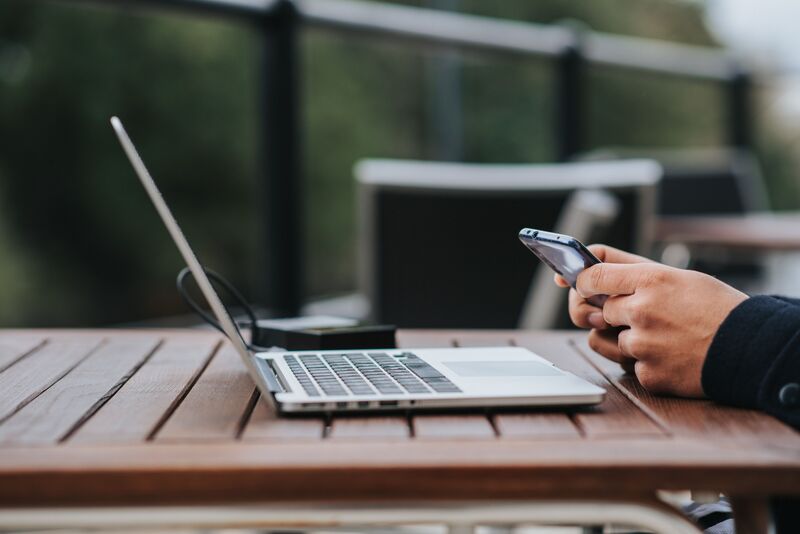
For example, if your laptop needs internet while you are away from home, you can turn on your phone’s hotspot and connect the laptop through its Wi-Fi settings.
On an iPhone, Personal Hotspot is Apple’s built-in feature for sharing the iPhone’s cellular data connection. Android phones offer a similar feature, typically called Mobile Hotspot or Wi-Fi Hotspot.
2. How Does a Personal Hotspot Work?
A personal hotspot works by sharing your smartphone’s cellular internet connection with another device. The basic connection follows this path:
Cellular network → Smartphone → Personal Hotspot → Connected device
First, your phone connects to the internet through a 4G LTE or 5G cellular network. When you turn on Personal Hotspot, the phone creates a local connection that nearby devices can join.
For Wi-Fi tethering, your laptop, tablet, or another phone selects the hotspot name from its available Wi-Fi networks and enters the password. Once connected, its internet traffic passes through your smartphone’s cellular connection.
Personal hotspots may also share internet through USB or Bluetooth, depending on the device.
In simple terms, your smartphone temporarily works like a portable wireless router. The main difference is that it gets internet from a cellular network rather than a fixed cable or fiber connection.
3. How to Turn On a Personal Hotspot
Once you understand what is a personal hotspot, turning it on takes only a few steps. The settings differ slightly between iPhone and Android.
Turn On Personal Hotspot on iPhone
On an iPhone, go to:
Settings > Personal Hotspot
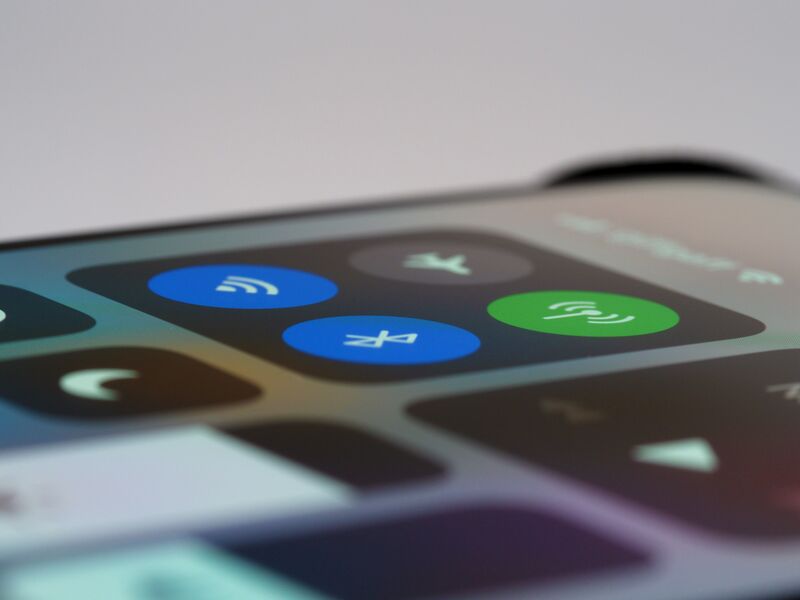
Turn on Allow Others to Join. You can also view or change the Wi-Fi password from this screen.
Next, open the Wi-Fi settings on your laptop, tablet, or other device. Select your iPhone’s network name and enter the hotspot password.
If a device has trouble finding or connecting to the hotspot, supported iPhones also offer Maximize Compatibility, which may improve connections with some devices.
Turn On Mobile Hotspot on Android
On many Android phones, go to:
Settings > Network & internet > Hotspot & tethering > Wi-Fi hotspot
Turn on the hotspot, then check its network name and password.
On Samsung phones, the setting may appear under:
Settings > Connections > Mobile Hotspot and Tethering
Once enabled, select the hotspot from the other device’s Wi-Fi menu and enter the password. Android phones may also support tethering through USB or Bluetooth.
>>> Read more: How to Get Hotspot on iPhone: 5 Easy Setup and Connection Methods
4. What Is a Personal Hotspot Used For?
A personal hotspot is most useful when you need temporary internet access but cannot or do not want to use another Wi-Fi network.
Access Internet Without Wi-Fi
The most common use is connecting a laptop or tablet when conventional Wi-Fi is unavailable.
Apple specifically notes that Personal Hotspot is useful when another device does not have internet access from a Wi-Fi network.
Connect Multiple Devices
A hotspot can also provide internet access to more than one compatible device.
Android documentation states that Wi-Fi hotspot sharing can support multiple connected devices, while Apple notes that the maximum number of devices on Personal Hotspot depends on the carrier and iPhone model.
Create a More Private Connection
A personal hotspot can also be useful when you would rather avoid an open public Wi-Fi network.
Because your hotspot has its own password, you control who can join. Apple states that Personal Hotspot uses password-protected Wi-Fi, and its current devices use modern Personal Hotspot security standards.
5. Personal Hotspot vs Mobile Hotspot vs Wi-Fi: What’s the Difference?
The terminology can be confusing because these technologies overlap.
| Feature | Personal Hotspot | Mobile Hotspot | Regular Wi-Fi |
| Common meaning | Apple’s name for hotspot sharing | General term, commonly used on Android or dedicated hotspot devices | Wireless networking technology |
| Internet source | Usually cellular data | Usually cellular data | Usually cable, fiber, DSL, or another internet service |
| Device creating network | iPhone or cellular iPad | Smartphone or dedicated hotspot | Router/access point |
| Portable | Yes | Yes | Usually tied to a location |
| Password protected | Yes | Usually | Depends on network |
| Mobile data used | Yes | Usually | No cellular data required from phone |
| Best for | Temporary internet from an Apple device | Portable internet sharing | Everyday home, work, or public internet |
So, what is a personal hotspot compared with a mobile hotspot? In practical use, they perform largely the same job.
>>> Read more: Why Is My Personal Hotspot Not Working? 6 Easy Steps to Fix It
6. FAQs
Does Personal Hotspot use more data than normal phone use?
Not automatically. Personal Hotspot uses data based on what connected devices do. However, laptops and tablets may consume more data through streaming, software updates, cloud syncing, and large downloads, making your data allowance run out faster.
Can I use Personal Hotspot without Wi-Fi?
Yes. Personal Hotspot is designed to share your phone’s cellular internet connection when regular Wi-Fi is unavailable. Other devices can connect to your phone through Wi-Fi, while the phone itself typically uses cellular data to provide internet access.
Why can’t I see Personal Hotspot on my iPhone?
Personal Hotspot may be unavailable if Cellular Data is turned off or your carrier or plan does not support hotspot use. Check your cellular settings first. If the option is still missing, contact your carrier to confirm hotspot availability.
Should Personal Hotspot be turned on or off?
Turn Personal Hotspot off when you are not using it. Leaving it off can help conserve battery and prevent unwanted connections. Enable the feature when you need to share your phone’s cellular internet connection with another device.
Do you get charged for using your Personal Hotspot?
It depends on your mobile plan. Some plans include Personal Hotspot at no additional charge, while others have separate hotspot allowances, speed limits, or additional fees. Check your carrier’s plan details to understand how hotspot data is billed.
7. Final Thoughts
Understanding what is a personal hotspot is simple: it lets your smartphone share its cellular internet connection with other devices.
On iPhone, Personal Hotspot can connect laptops, tablets, and other devices through Wi-Fi, Bluetooth, or USB. Android phones provide a similar feature, usually called Mobile Hotspot or Wi-Fi Hotspot. It is a convenient option when regular Wi-Fi is unavailable and you need internet access on another device.