
Internet access is no longer limited to home routers, offices, or public Wi-Fi. When a regular wireless network is unavailable, many smartphones can temporarily become the connection point for a laptop, tablet, or another device.
That capability is especially useful while traveling, working away from home, or dealing with a temporary internet outage. But what is a mobile hotspot, where does its internet connection come from, and does using one work the same way as connecting to ordinary Wi-Fi?
Let’s find the answer right now!
1. What Is a Mobile Hotspot?
A mobile hotspot is a feature or portable device that shares a cellular internet connection with nearby devices, such as laptops, tablets, and other phones. It essentially creates a small Wi-Fi network that other devices can join.
Unlike a home router that typically receives internet through cable or fiber, a mobile hotspot usually gets internet through a cellular network.
For example, when you enable hotspot mode on your smartphone, the phone:
- Connects to your carrier’s cellular network.
- Creates a local Wi-Fi network.
- Shares that connection with your laptop or other devices.
Mobile hotspots can be built into smartphones or provided through dedicated hotspot devices. A dedicated mobile hotspot device works similarly but is designed specifically to receive cellular data and share it with Wi-Fi-enabled devices.
In simple terms, a mobile hotspot lets you take your cellular internet connection and use it on other devices while you are away from regular Wi-Fi.
2. How Does a Mobile Hotspot Work?
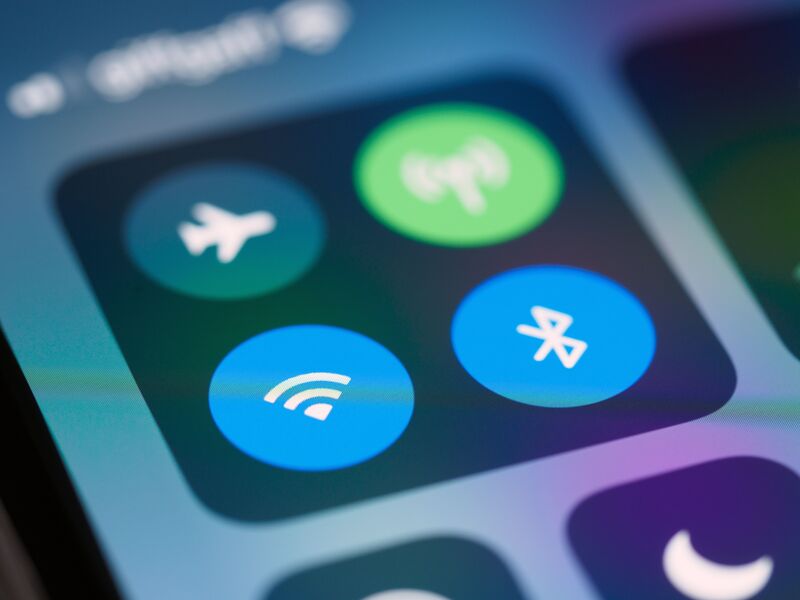
To understand what is a mobile hotspot device and how it works, think of it as a bridge between a cellular network and your Wi-Fi-enabled devices. A mobile hotspot receives internet access through a cellular network and shares that connection with nearby devices.
Cellular network → Phone or hotspot device → Wi-Fi connection → Laptop, tablet, or other device
First, your phone or dedicated hotspot connects to a 4G LTE or 5G cellular network. When you turn on hotspot mode, the device creates a local Wi-Fi network with its own name and password.
Your laptop or tablet can then find the hotspot in its Wi-Fi settings and connect using that password. Internet traffic from the connected device passes through the hotspot and uses its cellular connection.
Phones can also support tethering through USB or Bluetooth, although Wi-Fi is the most common method. Data used through the hotspot generally counts toward your mobile plan or a separate hotspot data allowance.
3. How to Use a Mobile Hotspot
Once you understand what is a mobile hotspot, setting one up is generally simple.
The exact menu names depend on your phone and operating system, but the process usually requires enabling hotspot sharing and then connecting the second device with Wi-Fi.
Turn On a Hotspot on iPhone
On an iPhone, go to:
Settings > Personal Hotspot
Turn on Allow Others to Join. The same screen displays the Wi-Fi password needed to connect other devices.
Next, open the Wi-Fi settings on your laptop, tablet, or another phone. Select your iPhone from the available networks and enter the hotspot password.
Turn On a Hotspot on Android
Android settings vary by manufacturer. On a Google Pixel, the typical path is:
Settings > Network & internet > Hotspot & tethering > Wi-Fi hotspot
Turn on the Wi-Fi hotspot and check its network name and password. On Samsung devices, look under:
Settings > Connections > Mobile Hotspot and Tethering
Once the hotspot is active, open Wi-Fi settings on the device you want to connect, select the hotspot name, and enter the password.
Android phones may also support USB and Bluetooth tethering. Before using a hotspot extensively, check whether your mobile plan includes tethering and whether a separate hotspot data limit applies.

4. What Devices Can Connect to a Mobile Hotspot?
Most Wi-Fi-enabled devices can connect to a mobile hotspot, including:
- Laptops and desktop computers
- Tablets and smartphones
- Smart TVs and streaming devices
- Gaming consoles
- Other compatible Wi-Fi devices
The device connects to the hotspot much like it would connect to a regular Wi-Fi network, using the hotspot’s network name and password.
Compatibility can vary with older devices because they may not support newer Wi-Fi bands or security standards. The number of devices that can connect simultaneously also depends on the phone or hotspot model, carrier, and network configuration.
>>> Read more: Why Is My Hotspot Slow? 10 Common Causes and Ways to Speed It Up
5. What Are the Limitations of a Mobile Hotspot?
Once you understand what is a mobile hotspot and how it works, it is also important to know the limitations that can affect its performance and everyday use.
- Cellular coverage: Hotspot performance depends on your mobile signal. Weak coverage can result in slower or unstable internet.
- Data limits: Some plans include a limited amount of high-speed hotspot data. Speeds may be reduced after you reach the allowance.
- Battery drain: Running a hotspot can use your phone’s battery faster, especially during long sessions.
- Speed and congestion: Hotspot speeds can vary with network conditions, signal strength, and the number of connected devices.
- Plan restrictions: Some carriers limit tethering or require a plan that specifically includes hotspot access.
Because of these limitations, a mobile hotspot is often best suited for travel, temporary internet access, or backup connectivity.
6. Mobile Hotspot vs. Wi-Fi: What Is the Difference?
One reason people search what is a mobile hotspot is that the words “hotspot” and “Wi-Fi” are often used as though they mean the same thing.
They are related, but they describe different parts of the connection.
| Feature | Mobile Hotspot | Regular Wi-Fi |
| Internet source | Cellular network | Usually cable, fiber, DSL, or another fixed connection |
| Access point | Smartphone or dedicated hotspot device | Wireless router/access point |
| Portability | Highly portable | Usually tied to one location |
| Data usage | Uses mobile/hotspot plan | Uses home or business internet service |
| Coverage | Depends on cellular signal | Depends on router range |
| Typical use | Travel, backup internet, temporary access | Everyday home or office internet |
| Battery dependence | Smartphone/dedicated device may require battery power | Router normally uses continuous external power |
Wi-Fi itself is simply the wireless technology that connects nearby devices to a network. A mobile hotspot commonly uses Wi-Fi for the short connection between the phone and laptop, while cellular data provides the actual path to the internet.
>>> Read more: How to Make Hotspot Faster: 7 Quick Fixes for a Slow Connection
7. FAQs
Does a mobile hotspot use cellular data?
Yes. A mobile hotspot typically uses your phone or hotspot device’s cellular data connection to provide internet to other devices. Usage may count toward your regular data allowance or a separate hotspot allowance, depending on your mobile plan.
Do you need a SIM card for a mobile hotspot device?
Usually, yes. A dedicated mobile hotspot needs an active cellular connection, typically provided through a physical SIM or eSIM. It must also be activated with a compatible carrier and data plan before it can connect other devices to the internet.
How many devices can connect to a mobile hotspot?
The number varies by device, carrier, and mobile plan. Some hotspots support several simultaneous connections, while others support more. Check your phone or hotspot specifications to find the exact connection limit for your device.
Is a mobile hotspot secure to use?
Yes, a mobile hotspot can be secure when properly configured. Use a strong Wi-Fi password, avoid sharing it with unknown users, and disconnect unfamiliar devices. A password-protected personal hotspot is generally safer than connecting to an unsecured public Wi-Fi network.
Is a mobile hotspot free?
It depends on your mobile plan. Some plans include hotspot access at no additional charge, while others limit high-speed hotspot data or charge extra for tethering. Check your carrier’s plan details before using a mobile hotspot regularly.
8. Final Thoughts
So, what is a mobile hotspot? It is a portable way to share a cellular internet connection with laptops, tablets, and other Wi-Fi-enabled devices.
Whether built into a smartphone or provided through a dedicated device, a hotspot can be useful for travel, remote work, or backup internet access. Just keep in mind that performance depends on cellular coverage, hotspot data limits, device compatibility, and the terms of your mobile plan.